

How to set up Password AutoFill on iOS
This guide describes how to activate Password AutoFill on your iOS device and quickly enter passwords using KeePassium.
Initial setup
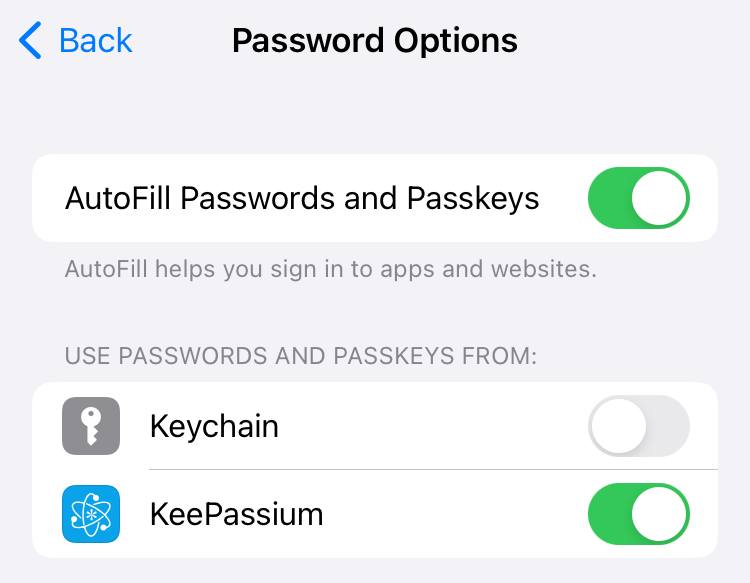
In order to use KeePassium AutoFill, you need to activate it in the system:
- Open device settings from your home screen
- Tap on General → AutoFill & Passwords
- Turn on AutoFill Passwords and Passkeys
- Select KeePassium
- Unselect Apple Passwords
How to use AutoFill
With AutoFill, you can quickly fill your passwords without opening the app. Whenever you place your cursor in a login form, you will see a Passwords button above the keyboard:
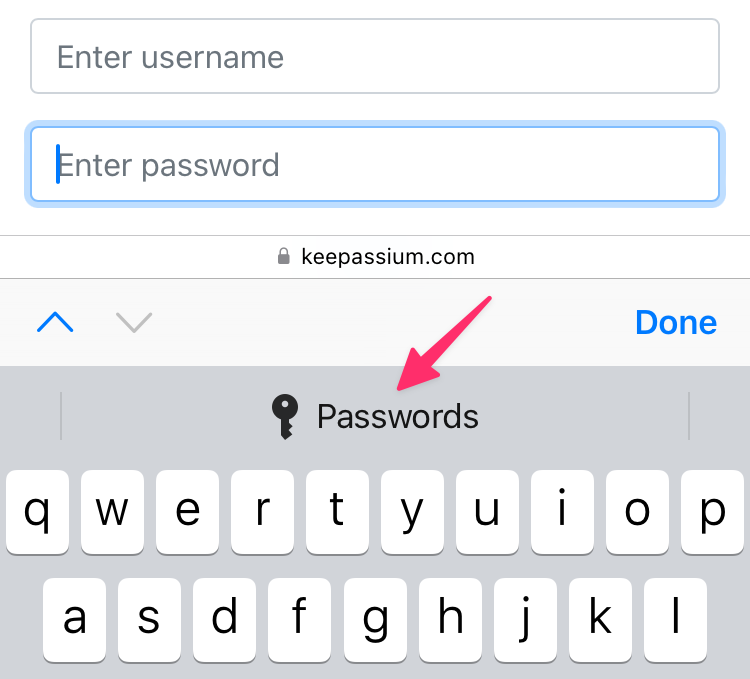
This button opens KeePassium's AutoFill module, which will show entries related to the calling app or webpage. Tap the required entry and its username and password will be automatically entered in the login form.